
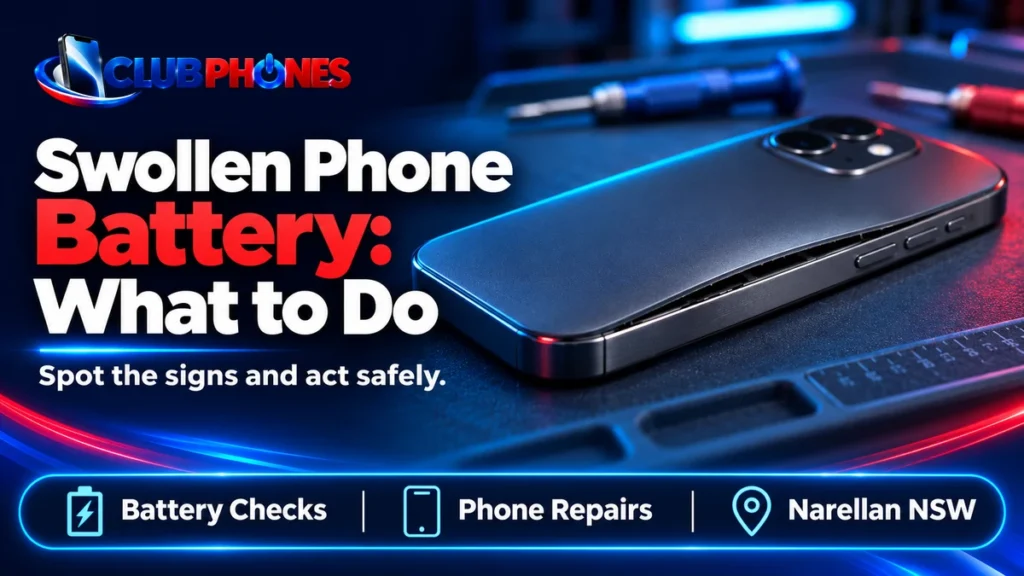
If you suspect a swollen phone battery, stop using and charging the phone. Keep others clear and leave the phone where it is. If the phone is smoking or on fire, leave the area and call Triple Zero (000) from a safe place. For a cool, swollen phone, contact a phone repair service in Narellan from another device before taking it anywhere.
What does a swollen phone battery look like?
A swollen battery can push the screen or back cover away from the frame. You might see a new gap along a seam, a raised corner or a bulge where the back used to sit flush. A drop or loose adhesive can also open a seam. Treat an unexplained change in shape as possible battery damage until a technician can assess it.
Look from a safe distance. Leave the case and cover in place, and avoid squeezing the phone to see if the gap closes. Fast battery drain or a low battery health reading can point to battery wear. Neither tells you whether the battery has physically expanded.
What should you do when you notice swelling?
- Stop using it. Leave the phone off if it is already off. If it is plugged in, switch off the power at the wall only if you can reach the switch safely without touching the phone or approaching smoke or fumes.
- Leave the casing alone. Keep others away from the phone. Avoid handling it with bare hands or trying to lift the screen, peel back the cover or remove the battery.
- Call before moving it. If the phone is cool and there is no smoke, hissing, leaking or strong smell, describe what you can see to a repairer or the manufacturer from another device. Ask whether they can assess it and follow their advice about handling and transport.
When is it an emergency?
Extreme heat, hissing or popping, leaking fluid and a sharp chemical smell are warning signs. Step away and keep others clear. If the phone starts smoking or catches fire, Fire and Rescue NSW advises getting out and calling 000 from safety. Close a door behind you if you can do so safely. Stay clear of the fumes and wait outside for firefighters. Call 000 even if the smoke or flames have stopped.
Leave an actively smoking or burning phone where it is. If you’re unsure about an immediate danger, move to safety and call 000 for advice.
Why does a phone battery swell?
A lithium-ion battery can swell when gas builds up inside the cell. As the cell expands, it can press against the screen, back cover or frame. Heat, physical damage, ageing or a fault within the cell can contribute. The outside of the phone can show signs of pressure, but an inspection is needed to find the cause and check what else is affected.
Can the phone be repaired?
Replacing the battery may be possible if the frame, screen and surrounding parts can still be used safely. If the casing has warped or the display has lifted, those parts may also need attention. Tell the repairer if you noticed a gap after a drop, if the phone was unusually hot or if the gap has grown.
For a cool phone with suspected swelling, call Club Phones on 0469 865 904 before visiting. Have the model handy if you already know it. You can look it up on a receipt or in your account on another device.
How do you dispose of a swollen phone battery?
For a cool, damaged mobile phone or battery you plan to discard, contact MobileMuster or your local council for instructions before moving it. Explain that the battery is swollen and whether it is still inside the phone. The receiving service can tell you whether it accepts damaged batteries and how it wants the device brought in.
Keep the phone and battery out of household rubbish, kerbside recycling and standard battery collection bins. Leave an installed battery in place and check with the disposal service before arranging transport. Keep it out of ordinary post.
Related Articles
Read about battery replacement options or learn how to check battery health on a Galaxy phone that is safe to use.
- How to check Samsung battery health
- iPhone battery replacement in Narellan
- Samsung battery replacement in Narellan
Coming from a nearby suburb? Call the Narellan shop before visiting with a suspected swollen battery.
Swollen Phone Battery FAQs
Can I still use a phone with a swollen battery?
Stop using the phone as soon as you suspect swelling, even if it still works. Keep it off charge and contact a repairer or the manufacturer from another device.
Does a lifting screen always mean the battery is swollen?
A lifting screen can come from battery swelling, impact damage or a failed adhesive seal. Leave the screen where it is and get advice before moving the phone. Pressing it down could put pressure on a damaged battery.
Can a swollen phone battery catch fire when it is off?
Yes. Switching the phone off does not remove the energy stored in the cell. If the device starts to smoke or burn, move to safety and call Triple Zero (000).
Can a swollen battery go back to normal?
Treat the battery as damaged even if the gap looks smaller later. A technician can check whether a replacement is possible. Leave the battery alone and keep the phone off charge in the meantime.
Can I remove a swollen phone battery at home?
Leave the battery in the phone and have it handled by a technician. Prying it out, bending it or puncturing it can damage the cell further and start a fire.
Should I turn the phone back on to back up my photos?
Keep the swollen phone off and check for an existing iCloud or Google Photos backup from another device. Tell the repairer if there are important files that haven’t been backed up so they can discuss what may be possible after making the phone safe.
Can I put a swollen phone battery in a shop recycling bin?
Keep swollen batteries out of standard shop collection bins. Contact MobileMuster or your council first for damaged battery disposal instructions, and tell them whether the battery is still inside the phone.
Can a battery replacement fix a phone with a bulging back?
It may be enough if the swelling has left the frame and back cover intact. A technician can check whether any other parts need attention before confirming the repair options.
Get advice before bringing the phone in
For a cool phone with suspected swelling, call 0469 865 904 or use the Club Phones contact page from another device. Describe where the casing is lifting and ask about the safest next step. The shop is at K10/326 Camden Valley Way, Narellan NSW 2567.
Pingback: Samsung Phone Not Charging? What to Check First
Pingback: Why Is My Phone Overheating? What to Do | Club Phones