
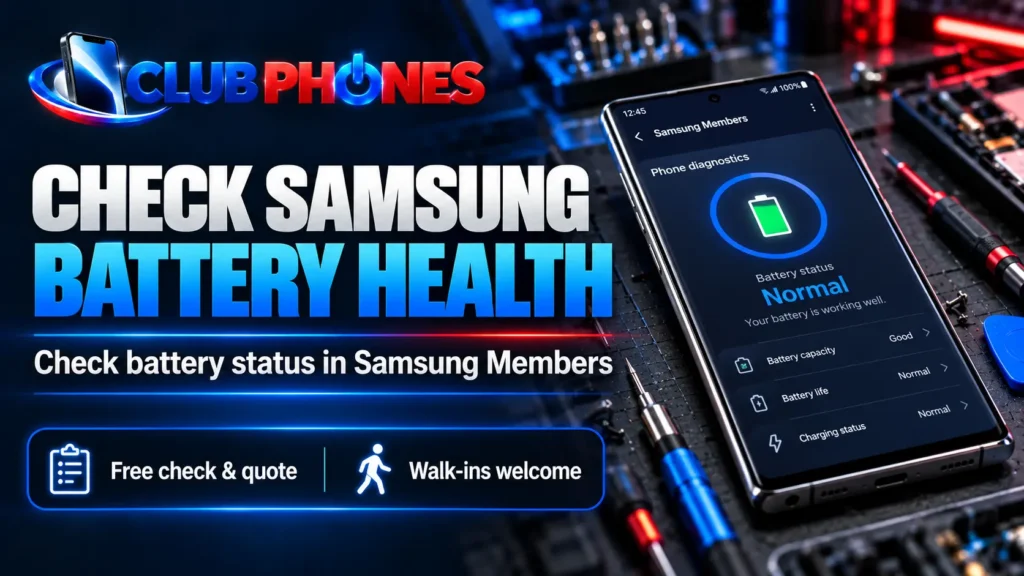
To check Samsung battery health, open Samsung Members and go to Support > Phone diagnostics > Battery status. The result can say Normal, Weak or Bad. It helps you decide what to investigate next, but it does not identify every cause of fast battery drain. If your Galaxy phone also has charging or shutdown problems, see our Samsung phone repairs in Narellan service page.
How to check battery health with Samsung Members
Open Samsung Members, tap Support, then open Phone diagnostics. Select Battery status and read the result. On some software versions, you may need to tap Get started or run diagnostics before Battery status appears. Menu names can differ by Galaxy model and software version.
You can do this check at home without opening the phone. If Samsung Members is missing, look for the app in the Galaxy Store or Play Store. If it will not run, update the app and device software, then try again; a repair shop can help assess a persistent problem.
What Normal, Weak and Bad mean
Normal means the diagnostic has not found a battery performance issue. Weak means efficiency may have fallen with use or environmental conditions. Bad means the battery has deteriorated significantly and the phone should be assessed for a possible replacement.
These labels are a guide, not a promise that every charging or power problem is caused by the battery. A Normal result does not explain a damaged charging port, faulty cable or an app that is consuming unusual power. Compare the result with what the phone actually does.
Battery percentage is not battery health
The number at the top of your screen shows how much charge remains right now. Battery health describes the battery’s condition over time. A phone can show 100% charge and still run down quickly if its battery has aged or another issue is using power.
Samsung Members commonly shows a condition label rather than a universal iPhone-style maximum-capacity percentage. What is available depends on the phone and software. Treat percentages estimated by third-party apps as estimates rather than a diagnosis on their own.
If the battery drains fast but the result says Normal
Open Settings > Battery and check the usage graph and apps using the most power. Recent setup or updates, weak mobile signal, high screen brightness and background activity can all increase battery use. Check whether the short battery life happens only with a particular app, in a poor-signal area or while the phone is hot.
Try a normal restart and install available app and system updates. You can use Power saving for a short-term improvement, but it can limit background activity and notifications. If the phone still drains unusually fast or shuts down unexpectedly, arrange an assessment rather than assuming it needs a new battery.
When to ask for a battery check
Seek a check if Samsung Members reports Weak or Bad, the phone shuts down with charge remaining, the battery drains sharply after charging, or the device repeatedly becomes unusually hot. These signs can have more than one cause, so the condition of the phone and charging system matters.
If the back cover or screen is lifting, the battery looks swollen, or you notice heat or a strange smell, stop using and charging the phone and arrange a prompt assessment. Do not press the cover back into place or try to open the battery yourself.
Club Phones can check Galaxy battery and charging concerns in Narellan and explain the suitable options for your model. See our Samsung phone repairs page for the service overview. Walk-ins are welcome; call ahead if you want to confirm part availability before visiting.
Related Articles
These Club Phones pages cover the repair options discussed above:
Samsung Phone Repairs Narellan – battery, charging and other Galaxy faults.
Device Repair Services – the wider range of phones and devices we can assess.
Samsung Battery Health Frequently Asked Questions
How do I check battery health on a Samsung phone?
Open Samsung Members, tap Support, then Phone diagnostics and Battery status. Some versions show Get started first. The menu may look slightly different on your Galaxy model.
Can I check Samsung battery health in Settings?
Settings > Battery can show charge usage and which apps used power. For Samsung’s battery condition result, use Battery status in Samsung Members. The available screens vary by model and software version.
Does Samsung show battery health as a percentage?
Samsung Members commonly reports a condition such as Normal, Weak or Bad. Some models or software versions may display other battery details, but there is no single percentage view to expect on every Galaxy phone. A third-party estimate should not be your only reason to replace a battery.
What does Weak battery status mean?
Weak means the battery’s efficiency may have decreased. Compare the result with symptoms such as shorter run time or unexpected shutdowns. If those symptoms affect normal use, have the phone checked.
Does Bad battery status mean I need a replacement immediately?
Bad indicates significant deterioration and is a good reason to arrange an assessment. A technician can check the phone and explain whether battery replacement is suitable for that model and condition. Stop using or charging a visibly swollen or unusually hot device.
Why does my Samsung battery drain fast when its status is Normal?
Battery status is only one part of the picture. Apps, weak signal, screen brightness, recent setup and other faults can raise power use. Check Settings > Battery and seek an assessment if the problem persists.
Can a charging-port fault look like a bad battery?
Yes. A loose cable, dirty or damaged port, unsuitable charger or charging circuit fault can make a phone seem as though its battery will not hold charge. The phone needs a check before choosing a repair.
Should I use a dial code or a battery app to test my Galaxy phone?
Start with Samsung Members because it is Samsung’s own diagnostic route. Dial codes and third-party apps can vary by model or provide estimates that are hard to interpret. If the symptoms and diagnostic result disagree, ask for a device assessment.
Where can I get a Samsung battery checked near Narellan?
Club Phones is at K10/326 Camden Valley Way, Narellan NSW 2567. Walk-ins are welcome for a check and quote. Call 0469 865 904 first if you want to confirm options for your exact Galaxy model.
Conclusion
Samsung Members is the quickest starting point: check Battery status, then compare Normal, Weak or Bad with your phone’s real-world symptoms. If the result is Weak or Bad, or the phone drains or shuts down unexpectedly, Club Phones can assess the fault and explain the available repair options. Visit us in Narellan, contact Club Phones, or call 0469 865 904.