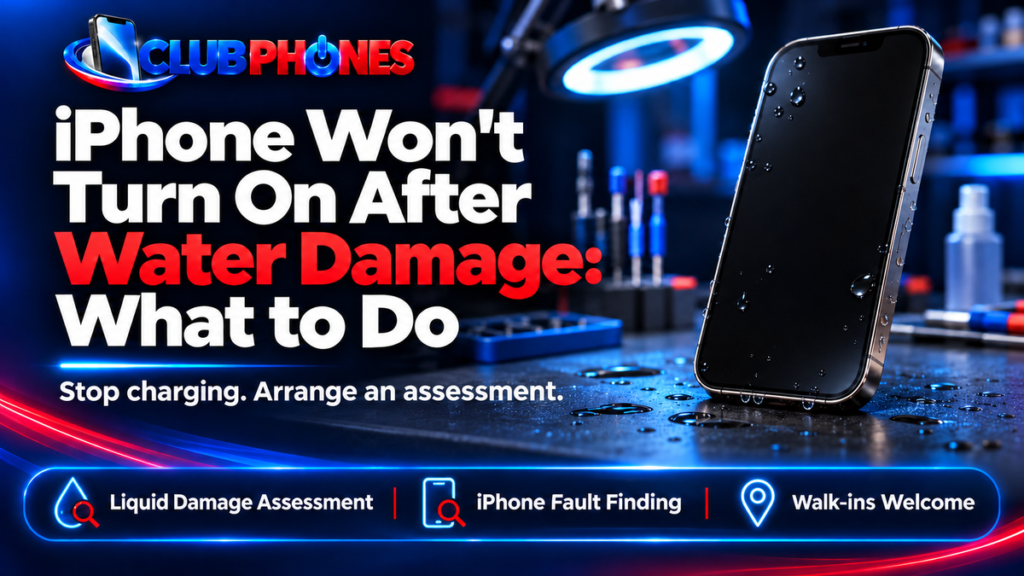
If your iPhone won’t turn on after water damage, disconnect cables, stop charging it and arrange an assessment. Repeated attempts to power it on can add risk when damage is suspected. Club Phones offers phone water-damage assessments in Narellan to check the fault and explain the practical options.
This guide covers an iPhone that stopped working after a spill, splash or immersion. A charging-port warning on an otherwise working phone needs different checks. A connector that looks dry cannot tell you whether internal parts have been damaged.
What should you do straight away?
- Disconnect cables and accessories. Leave the iPhone off if it is already unresponsive. If it is still operating and you can shut it down normally, do so.
- Dry the outside gently. Use a soft, lint-free cloth and leave the phone in a dry place with airflow. Keep the SIM tray closed until the phone is dry.
- Stop charging and repeated power tests. Avoid connecting it to a computer or placing it on a wireless charger to see whether it wakes up.
- Ask about an assessment. Explain the liquid exposure and that the phone no longer powers on. Mention any unusual heat, swelling or a lifting screen before further handling.
Apple advises discontinuing use if you suspect damage to the iPhone or its battery. Do not open the phone, press a lifting screen back into place or try to clean internal parts yourself.
Is the iPhone completely unresponsive or is the picture missing?
Describe what you already noticed after the incident. A phone that rang, vibrated or played a sound while its display stayed black showed some activity. Those signs alone cannot identify the faulty part or confirm that the phone is safe to use.
If there were no signs of activity, tell the repairer that too. Avoid repeated calls, button sequences or cable connections purely to collect more symptoms. The assessment can investigate the difference between a missing picture and a wider power problem.
Our iPhone black-screen guide explains the separate display symptom. Its general restart checks should not be used to keep testing a phone with suspected liquid damage.
Why does a dry exterior not settle the problem?
Drying the outside cannot tell you whether the display, battery, charging components or other internal parts have been affected. A black screen after a spill does not prove that replacing the screen will restore the phone.
Apple says water resistance is not permanent and can decrease with normal wear. A model’s water-resistance rating does not guarantee protection for your phone after a particular spill or immersion.
Keep the incident details even if the phone starts working again. Report the return of power and any later faults when seeking advice, rather than assuming the problem has been resolved.
Should you wait a set time and then try charging?
Waiting a set number of hours does not make a phone that stopped working after liquid exposure safe to test. Apple’s connector-alert guidance concerns moisture detected in the connector, cable or accessory. It does not diagnose internal damage.
Charging a wet connector can corrode its pins and cause permanent damage. For a phone with suspected damage, keep it disconnected and seek advice before attempting either wired or wireless charging.
If your phone works normally and only displays the connector warning, use our water-detected-in-iPhone-charging-port guide for that specific situation. Tell the repairer if you already tried an override or another charger.
Protect existing photos and backups without testing the phone
Use another trusted device to check what is already available. If iCloud Photos was enabled and syncing had completed, those photos may be visible on another signed-in device or iCloud.com. Check the most recent items you need, because older photos alone do not confirm that everything synced.
You can also check for an existing iCloud device backup using another iPhone, iPad, Mac or Windows device signed into the account. Look for its date. Synced photos and a device backup are separate ways information may already be available.
A factory reset erases device content and settings. Discuss important files and backup status before approving an erase or restore. Software recovery steps should not be the first response to suspected physical damage.
Club Phones offers data recovery only when the device powers on and its data is accessible. We cannot promise access to photos or files on an unresponsive phone. Tell us if your priority is data before deciding what work to approve.
What can a water-damage assessment tell you?
An assessment checks the device and the reported fault before a repair recommendation. The next step depends on the model, affected parts and extent of damage. We cannot guarantee that the phone will power on, be repairable or provide access to its data.
Club Phones opens and checks the device to investigate the fault and repairs it where practical. We explain when deeper damage makes repair impractical or uneconomical before you approve the work. Any repair involving the logic board needs confirmation for the individual job.
If you are weighing repair against replacement, ask what the proposed work is expected to address and what remains uncertain. A replacement phone will not supply files that were stored only on the damaged device.
You can contact Club Phones about the exposure and your iPhone model before visiting. Walk-ins are welcome; calling ahead lets you discuss the next step.
What affects the quote and what should you bring?
A water-damage quote depends on the diagnosed fault, the model, suitable replacement parts and any additional damage. A standard screen or battery price is not a reliable estimate for a phone that stopped working after liquid exposure. Ask for the assessment findings and proposed cost before deciding on repair.
Bring the phone and tell us:
- The model, if known, and when the incident happened.
- The liquid involved, including seawater, pool water or a drink.
- Whether the phone stopped immediately or developed problems later.
- Any sounds, display changes, heat or charging attempts you already observed.
- Whether important information has an existing backup.
Club Phones’ six-month repair warranty excludes water damage and subsequent physical damage, including new cracks and accidental breakage. Ask how those exclusions apply to any proposed work; do not assume liquid-related faults are covered.
Related Articles
These Club Phones pages explain related symptoms and repair options:
- Water Detected in iPhone Charging Port: What to Do covers the connector warning on a working phone.
- iPhone Screen Black but Phone Is On: What Should You Check First? explains a missing picture with signs of activity.
- iPhone Repairs Narellan outlines the supported iPhone repair services.
Customers from nearby suburbs visit our Narellan shop. See our information for Camden residents and Campbelltown residents.
iPhone Water Damage FAQs
What should I do if my iPhone won't turn on after water damage?
Disconnect cables, stop charging and leave an unresponsive phone off. Gently dry the exterior and arrange an assessment. Avoid repeated power-on attempts when damage is suspected.
Can an iPhone that won't turn on after water damage be repaired?
Repair may be possible, but the phone needs assessment first. The outcome depends on the affected parts and extent of damage. Club Phones explains the practical options and cannot guarantee a successful repair before inspection.
How long should I wait before trying to turn it on?
There is no fixed waiting period that confirms an unresponsive iPhone is safe to test after liquid exposure. Keep it disconnected and seek advice. A dry exterior or cleared connector warning cannot rule out internal damage.
Can I charge it wirelessly to avoid the wet port?
For an iPhone that stopped working after liquid exposure, avoid wireless charging as another power test. Suspected damage needs assessment even if the charging port looks dry. Explain the incident before attempting further charging.
What if the screen is black but I can hear sounds?
Sounds or vibration already observed suggest some activity, but they do not identify the faulty part. Report that detail when arranging an assessment. Do not keep ringing, restarting or connecting the phone to test it.
Will rice or a hair dryer fix it?
Do not put the iPhone in rice or use external heat or compressed air. Avoid inserting objects into its connector. An unresponsive phone needs assessment even if its exterior dries.
Can I recover photos from a water-damaged iPhone?
Check already-synced iCloud Photos or an existing backup from another trusted device first. Club Phones offers recovery only when the phone powers on and the data is accessible. Recovery from an unresponsive phone cannot be promised.
How much does a water-damage repair cost?
The quote depends on the model, diagnosed fault, affected parts and additional damage. A screen or battery price alone may not cover the problem. Ask for the findings and proposed repair cost before approving work.
Is water damage covered by Club Phones' repair warranty?
Club Phones’ six-month repair warranty excludes water damage. It also excludes subsequent physical damage, including new cracks and accidental breakage. Ask how the exclusions apply to the work being proposed.
Conclusion
If your iPhone will not turn on after liquid exposure, keep it disconnected and arrange an assessment. Check existing backups from another device and explain whether repair, data access or both matter to you.
Visit Club Phones at K10/326 Camden Valley Way, Narellan NSW 2567, contact us or call 0469 865 904 to discuss your iPhone and the next step.