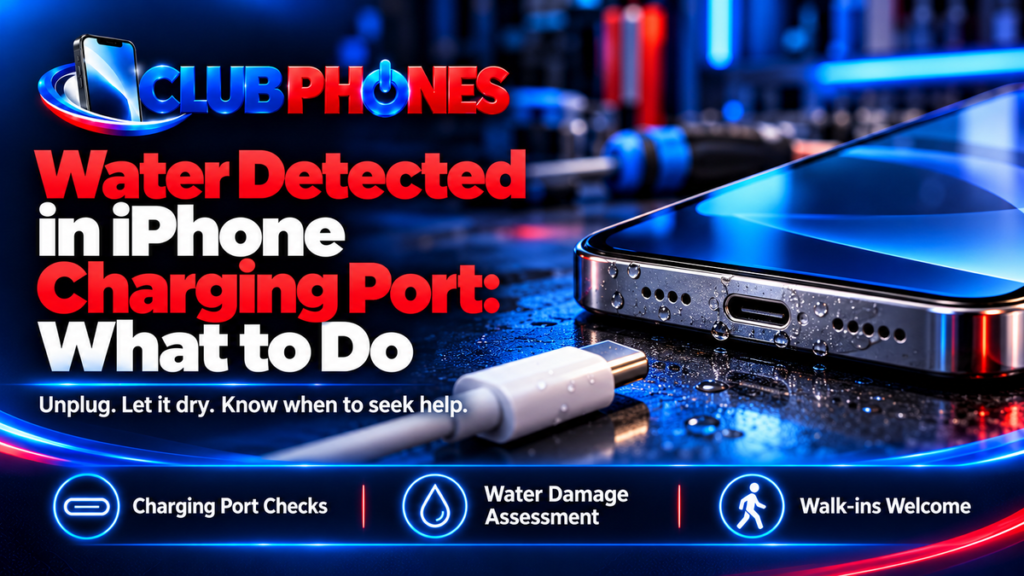
If you see water detected in your iPhone charging port, disconnect the cable and let the phone and connector dry before trying wired charging again. Avoid forcing a charge or putting anything into the port. A recurring alert needs checking, but it does not automatically mean the port must be replaced. Club Phones offers phone charging port assessment and repair in Narellan when the problem continues.
What does the iPhone liquid-detection alert mean?
The warning can concern moisture in the phone’s Lightning or USB-C connector, the cable end or a connected accessory. Depending on the connection, the message may say “Charging not available”, “Liquid Detected” or refer to the particular connector. The phone restricts that connection to help protect it.
The alert alone cannot tell you how far liquid has travelled or which component needs repair. A damp cable and a phone with internal liquid damage need different attention. Equally, an alert disappearing is not a complete health check after a spill.
What should you do straight away?
- Disconnect the cable. Unplug it from the iPhone and disconnect the other end from the power adaptor or accessory.
- Remove surface moisture. Wipe the outside with a soft, lint-free cloth. Do not push the cloth into the connector.
- Let excess liquid drain gently. With the port pointing down, lightly tap the phone against your hand. Avoid vigorous shaking.
- Allow airflow. Put the phone somewhere dry and ventilated, away from direct heat. Keep the disconnected cable dry too.
- Consider what happened. A warning with one accessory is different from a phone dropped into a pool. Tell a repairer about known exposure and any other symptoms.
If you suspect the phone or battery is damaged, stop using it and arrange advice. Repeatedly connecting different chargers to a wet or malfunctioning device is not a useful diagnostic test.
How long should you wait before charging?
Apple gives two pieces of guidance for different situations. Its liquid-alert instructions allow a first retry after at least 30 minutes, with further drying for up to 24 hours if the alert returns. Its general guidance for an iPhone that has actually been exposed to liquid says to wait at least 5 hours before a wired connection and until the device is completely dry.
For a known spill or immersion, follow the longer minimum and the complete-drying requirement. Thirty minutes is not a promise that a wet phone is ready to charge. If you are unsure about the exposure, or the phone is behaving abnormally, seek an assessment instead of testing it against the clock.
These waiting periods concern drying guidance. They do not establish that a liquid-damaged phone is repaired or that it will be safe to use after a set number of hours.
What should you avoid?
- Heat: do not use a hairdryer, heater or other external heat source.
- Compressed air: do not blow it into the connector.
- Rice: particles can get into the device.
- Objects inside the port: avoid cotton buds, tissues, paper towels, pins and improvised cleaning tools.
- More liquid: do not pour alcohol, water or cleaning products into the connector.
Drying and cleaning are different tasks. If the port looks dirty, obstructed or damaged, explain that when arranging a check. Do not scrape the contacts to try to clear the warning.
Why does it say liquid detected when the phone looks dry?
A dry-looking exterior does not establish that the connector and cable are dry. Once everything has dried, consider whether the alert follows one particular cable or accessory. Apple notes that an accessory which repeatedly triggers the warning may itself be damaged.
Check the disconnected cable for visible damage and stop using it if it is frayed, bent or otherwise damaged. Only when the phone and connections are dry, and there are no signs of damage, is checking with a suitable, undamaged alternative sensible. A warning that persists across connections is a reason to seek service.
Make a note of the exact message and which cable was involved. Do not assume that the warning is a software glitch, or erase the phone as an initial response. A reset does not establish the condition of the connector.
Can you use wireless charging or Emergency Override?
For a compatible iPhone with a connector-only moisture alert, Apple allows a Qi-certified wireless charger once the back of the phone is dry. Wireless charging does not assess internal damage. If the phone was immersed, is unusually hot or otherwise seems damaged, arrange advice before charging it by any method.
Emergency Override is intended for an emergency. Using the wired connection while it is wet can damage the contacts. Avoid treating the override as the routine solution to a warning that keeps returning.
When should the charging port or water damage be assessed?
Arrange a check if the alert continues after drying, normal charging does not return, the cable connection feels loose, or there are visible signs of damage. Describe any heat, unexpected shutdowns, display problems or other changes. Stop using a device with suspected battery damage.
For a phone with known liquid exposure or several affected functions, the relevant starting point is a phone water-damage assessment. Drying the opening does not diagnose the rest of the phone. A technician needs to establish whether the problem involves the accessory, connector or another part before recommending work.
If you need help choosing that next step, tell Club Phones your iPhone model, what happened and the exact alert. Walk-ins are welcome at the Narellan shop. Calling ahead helps confirm options for your model and any parts that may be needed.
What affects the repair quote and your data?
There is no single repair price for a liquid alert. A quote depends on the model, the diagnosed fault and the work that is practical. Ask what the proposed repair covers and whether there are other faults before approving it. An alert by itself is not a reason to quote a new charging port or battery.
Club Phones assesses deeper faults and explains honestly when a repair is possible or when it may not be practical or worth the cost. Successful repair and data recovery cannot be promised before inspection. Club Phones’ repair warranty excludes water damage and subsequent physical damage; ask about the terms relevant to the proposed work.
Tell the repairer if your data is the priority and whether you already have a backup. Club Phones’ data-recovery service is limited to devices that power on and have accessible data. Do not keep charging a wet phone solely to try to make a backup.
For the broader range of supported faults, see iPhone repairs in Narellan. The appropriate repair, parts and timing are confirmed for the individual device.
Related Articles
These Club Phones guides and service pages explain the related repair options:
- Phone Charging Port Repair Narellan — assessment of continuing charging and connector faults.
- Phone Water Damage Assessment & Repair Narellan — options after a mobile phone has been exposed to liquid.
- iPhone Screen Black but Phone Is On — a separate guide if the phone is active but its display stays black.
Club Phones is based in Narellan and also welcomes customers visiting from Campbelltown and Harrington Park.
iPhone Liquid Alert Frequently Asked Questions
What should I do when my iPhone says water is detected in the charging port?
Disconnect the cable and allow the connector and cable to dry. Follow the drying guidance above, and seek advice if the phone was immersed, appears damaged or keeps showing the warning.
How long does an iPhone charging port take to dry?
There is no guaranteed drying time for every exposure. Use the separate guidance above for a liquid alert and a known wet phone, and do not reconnect simply because a minimum waiting period has passed.
Why does my iPhone say liquid detected when it has not been wet?
The cable or accessory can be involved even when the phone looks dry. Note whether the warning follows one accessory, and have a persistent warning checked rather than assuming that it is a software error.
Can I bypass the liquid warning with Emergency Override?
The option is intended for emergencies and can expose a wet connection to damage. For an ordinary charging problem, leave it disconnected and arrange help if the warning continues.
Can I use a wireless charger while the warning is showing?
A compatible wireless charger may be an option when the issue is confined to the connector and the phone is dry externally. It is not a substitute for an assessment when you suspect damage to the phone or battery.
Can I use rice or a hairdryer to dry the charging port?
Apple advises against both rice and external heat. Leave the phone in a dry place with airflow and avoid inserting anything into the connector.
Does a liquid alert mean I need a new charging port?
No. The message alone cannot identify the repair. A check is needed to distinguish an accessory problem from a connector fault or wider liquid damage.
What if the warning has gone but my iPhone still will not charge?
A cleared alert does not identify the remaining fault. Describe the exposure, cable and charging symptoms when arranging a check, and stop testing if there are signs of damage.
Can Club Phones assess this problem in Narellan?
Yes. Club Phones can assess supported iPhone charging faults and mobile phone water damage, with repair options confirmed for the individual device. Walk-ins are welcome, or call ahead with your model and symptoms.
Conclusion
When water is detected in an iPhone charging port, disconnect first and give the device and cable time to dry. Keep the alert, the exposure history and any other symptoms in mind when deciding whether to seek help.
For a recurring warning or a phone affected by a spill, contact Club Phones or call 0469 865 904. Visit K10/326 Camden Valley Way, Narellan NSW 2567, for an assessment and advice on the suitable next step.
Pingback: Why Is My Phone Charging Port Loose? | Club Phones
Pingback: iPhone Not Charging Past 80%? Checks | Club Phones
Pingback: iPhone Water Damage and No Power? | Club Phones